

CTA Studio: a call-to-action plugin for WordPress
Build conversion-focused CTAs, popups, sticky bars, floating buttons, and countdown timers in WordPress without writing code.

What MkWebTech CTA Studio does
Overview
MkWebTech CTA Studio is a WordPress call-to-action builder for creating inline CTAs, popup CTAs, sticky announcement bars, floating action buttons, countdown timer offers, and conversion-focused buttons without writing code.
Use it to promote limited-time offers, collect more clicks, highlight lead magnets, drive visitors to sales pages, announce discounts, or add urgency with normal and evergreen countdown timers.
Usage
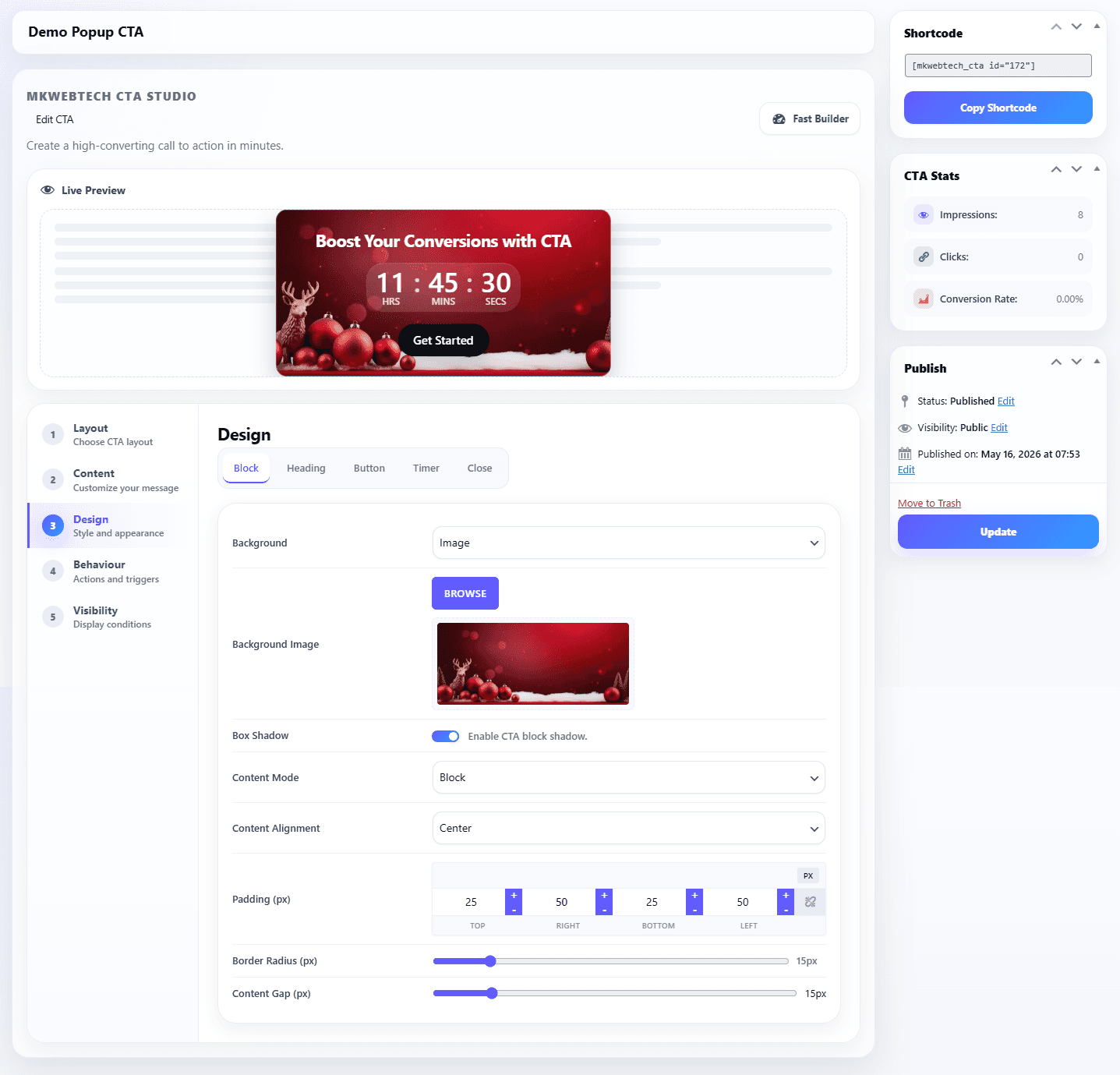
Create a CTA from the WordPress admin, choose a display type, add your heading and button content, configure design controls, then publish it automatically or place it manually with a shortcode.
[mkwebtech_cta id="123"]Designed for clear daily workflows
Product capabilities
Why teams install it
Launch path
- 1
Go to Plugins -> Add New in your WordPress admin.
- 2
Search for MkWebTech CTA Studio.
- 3
Click Install Now, then Activate.
- 4
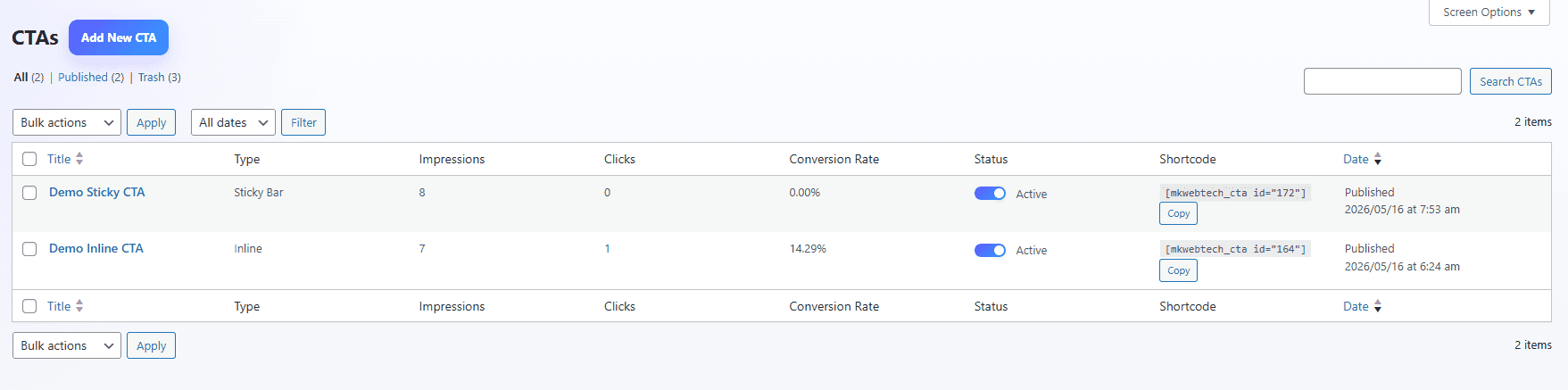
Go to CTAs -> Add New and choose Inline, Sticky Bar, Popup, or Floating Buttons.
- 5
Customize the content, design, visibility, animation, and optional countdown timer.
Common questions
Recent improvements
Guides and references
Choose the right plan
Free
Available from the official WordPress.org plugin directory.
- CTA builder for inline, sticky, popup, and floating button layouts
- Countdown timers and evergreen urgency options
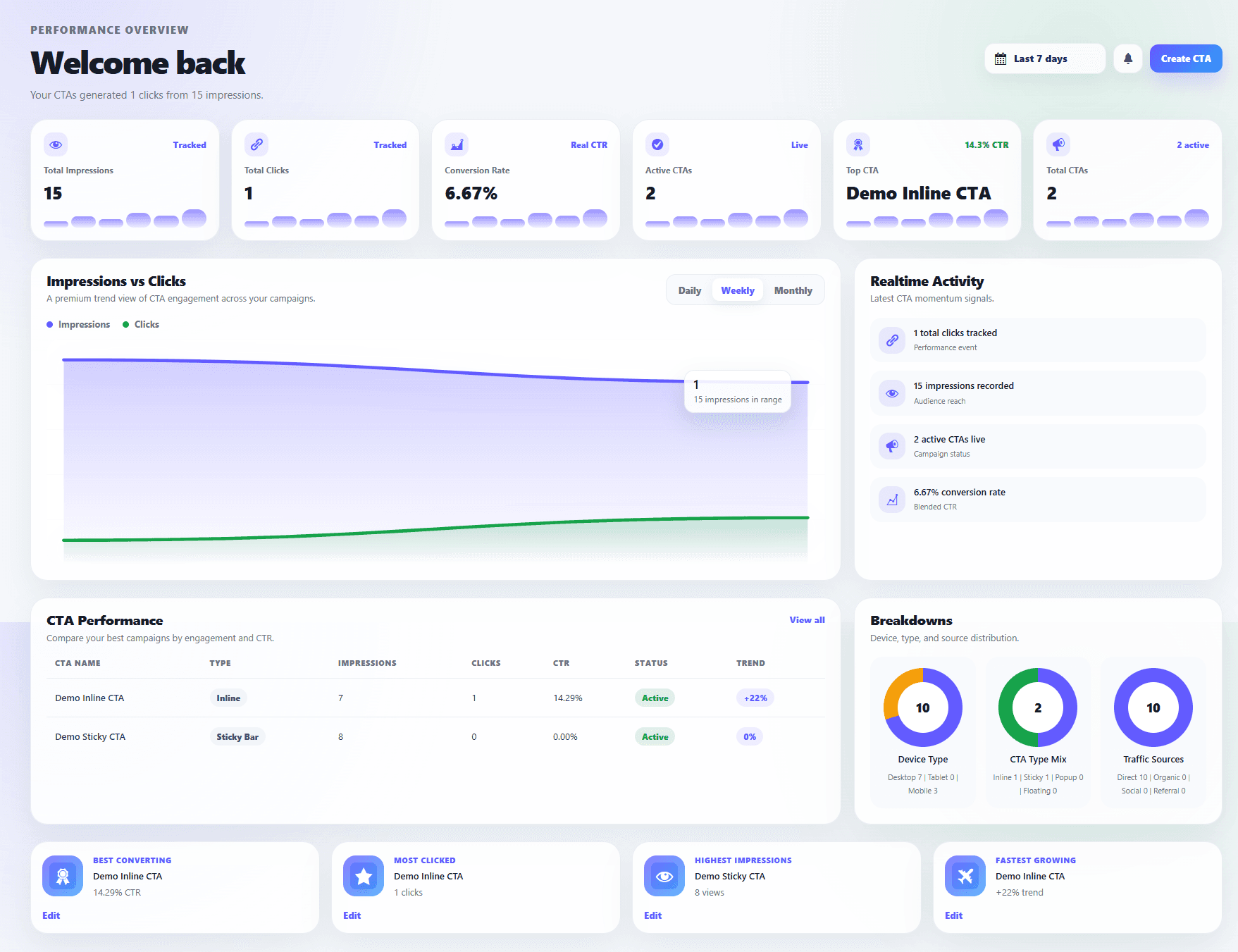
- Built-in analytics for impressions, clicks, and conversion rate
Get help when it matters
Need a workflow beyond the plugin?
MK WebTech also builds custom WordPress and WooCommerce functionality for store-specific integrations, admin tools, and commerce workflows.
Explore WordPress and WooCommerce development