


Let customers edit eligible Shopify orders after purchase
Reduce routine correction requests while keeping merchant control.
Let customers update eligible shipping addresses, same-product variants, and quantities after purchase while merchants control Shopify order editing.
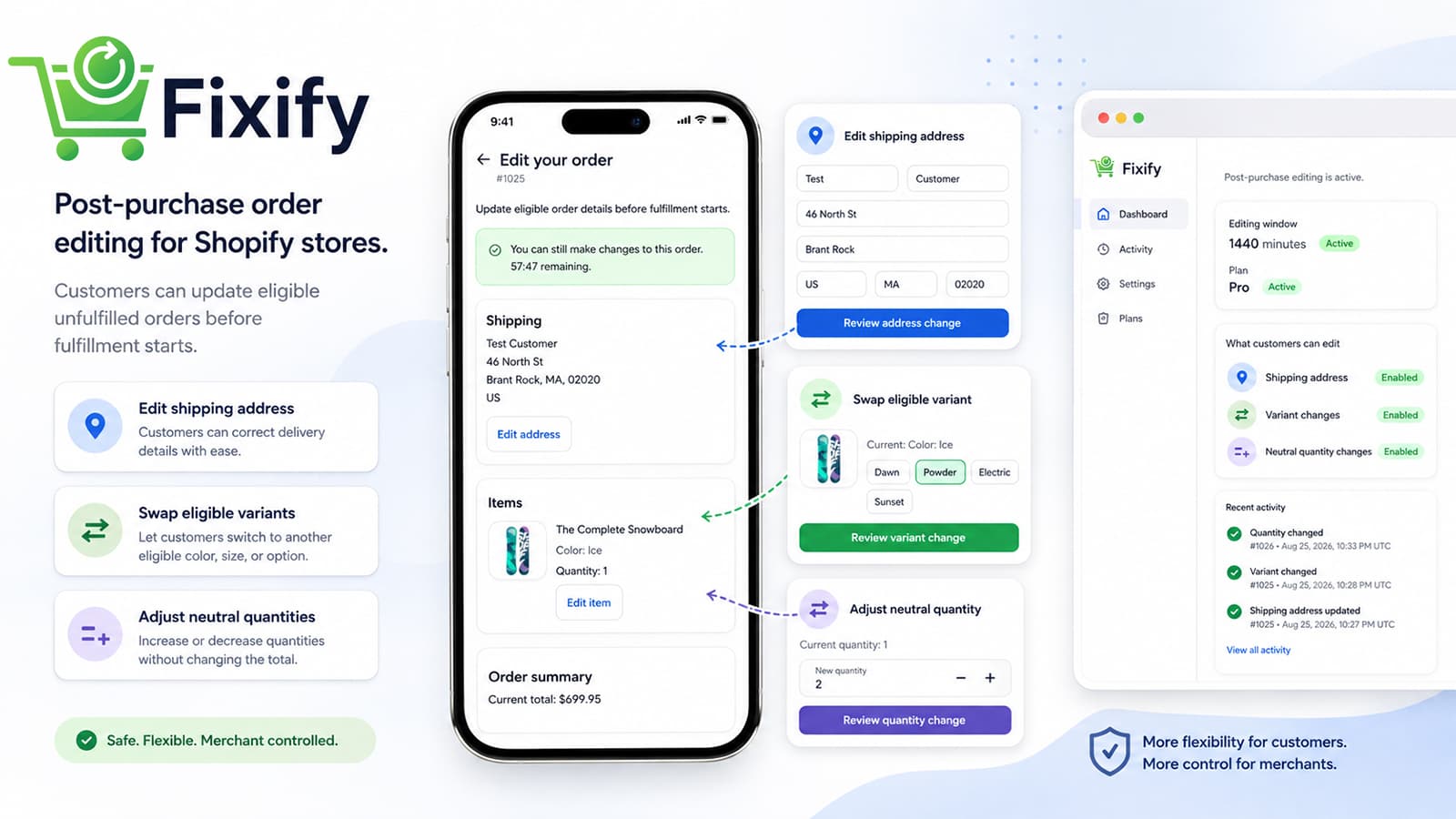
Turn routine correction requests into controlled self-service.
Incorrect addresses, variants, and quantities can become manual support requests. Fixify gives authenticated customers a direct editing path within merchant-defined limits.
Supported order editing with merchant control
Fixify handles eligible post-purchase changes through Shopify Customer Accounts.
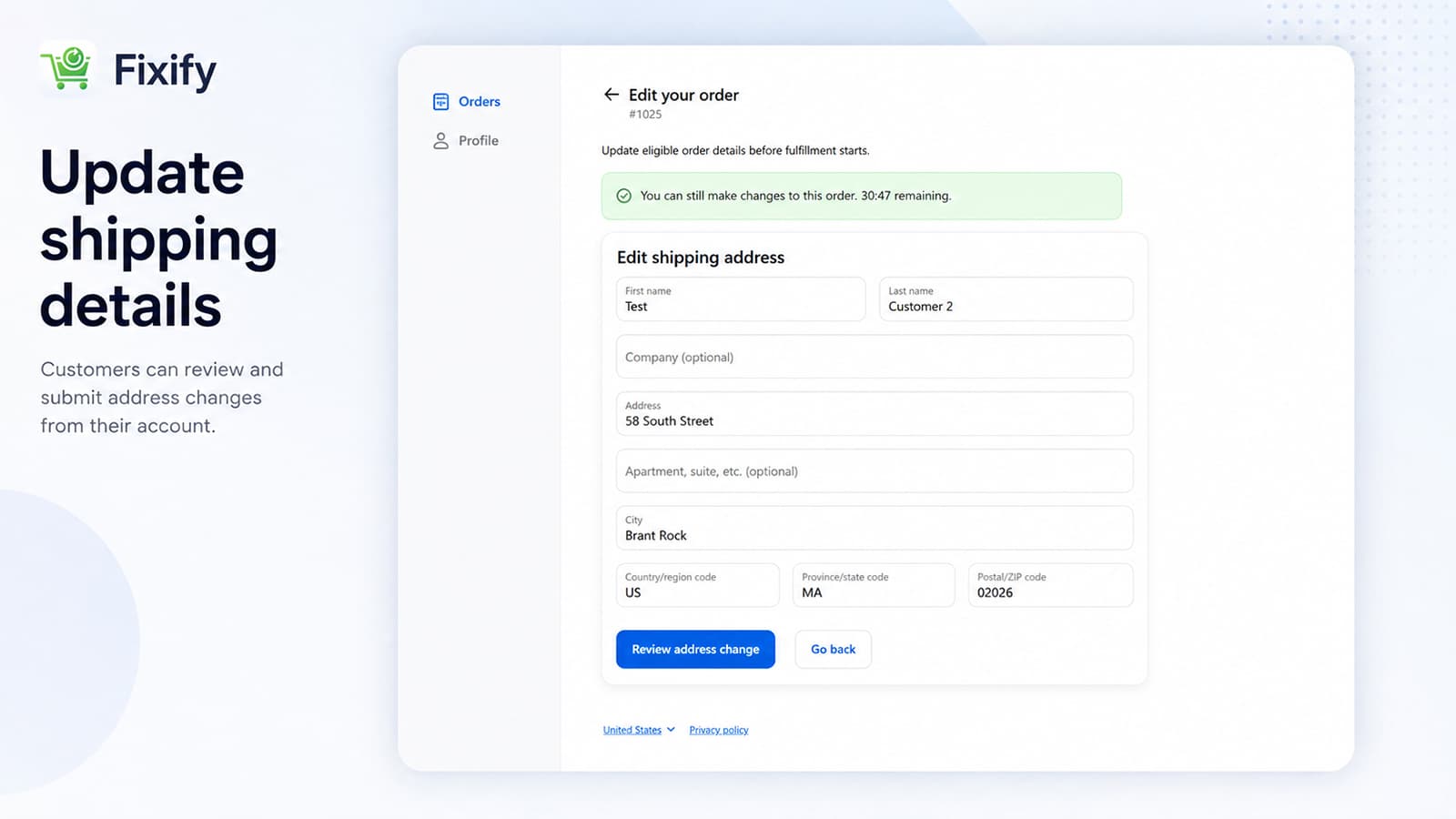
Shipping address editing
Customers can correct eligible shipping details before fulfillment starts.
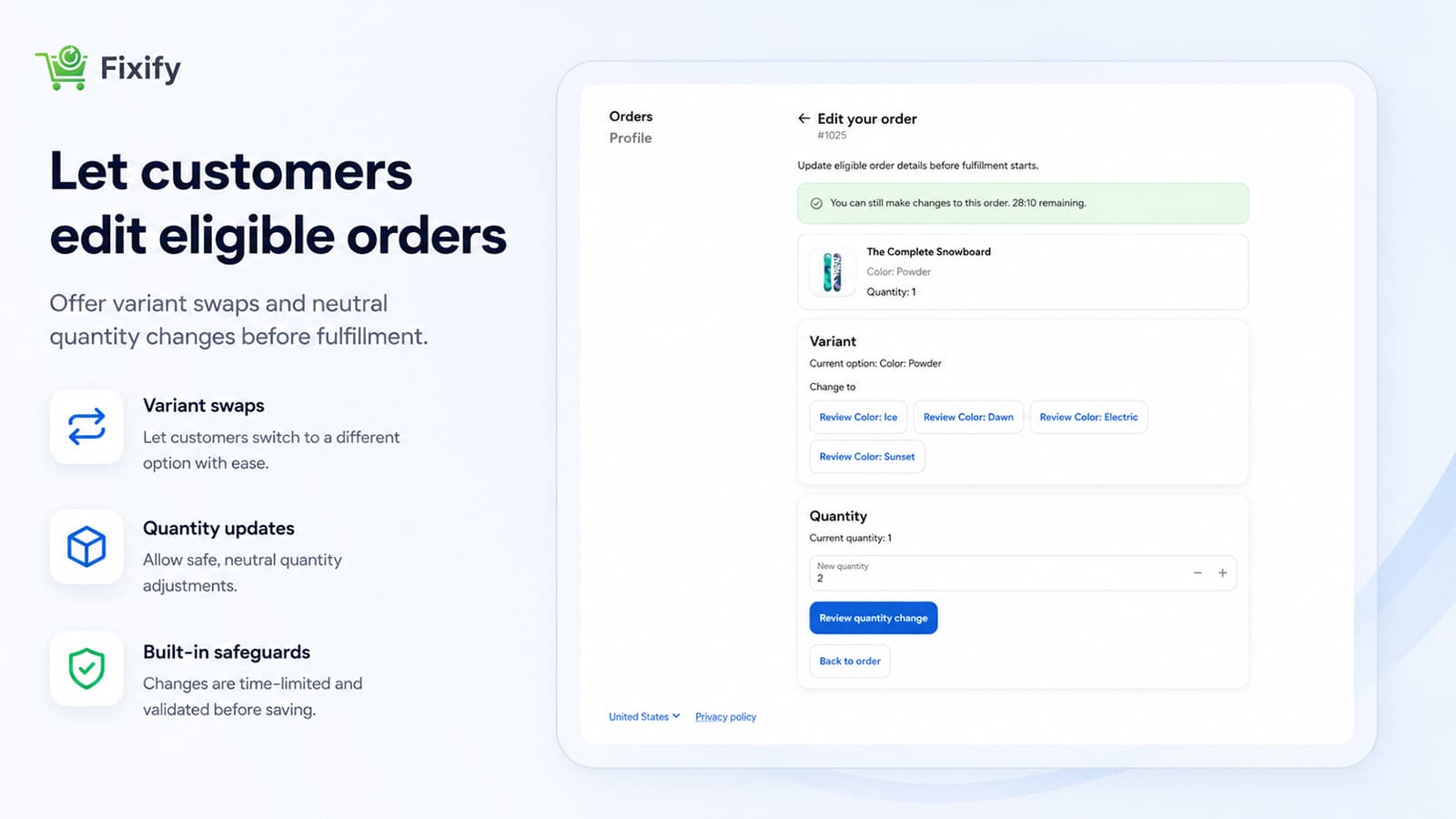
Same-product variant swaps
Customers can switch to an eligible variant of the same product before fulfillment.
Financially neutral quantity changes
Customers can change eligible quantities when no additional payment or refund is required.
Merchant controls
Merchants choose which supported edits are allowed and configure the editing window.
Customer Account integration
Customers make eligible changes from Shopify Customer Accounts.
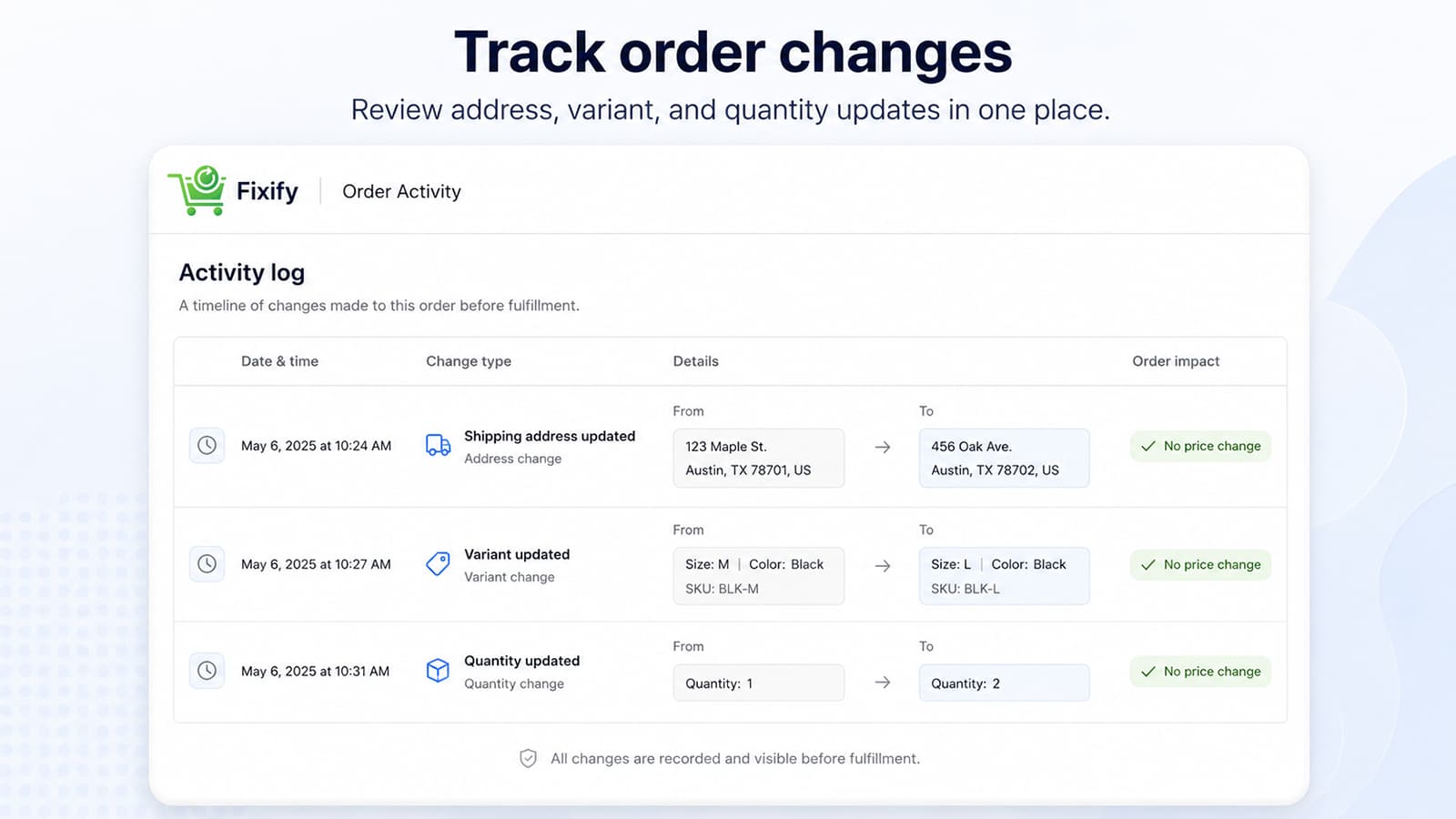
Activity history
Merchants can review successfully completed customer edits in one clear activity history.
Customer editing and merchant visibility in one workflow
See how Fixify presents eligible changes in Shopify Customer Accounts and records completed activity for merchants.
See the Fixify workflow in action
Watch a step-by-step product walkthrough covering the customer editing experience and merchant controls.
Watch the Fixify walkthrough
Need a different Shopify workflow?
MK WebTech also develops Shopify apps and integrations involving the Admin GraphQL API, customer accounts, order workflows, webhooks, billing, and external services.
A clear path from request to completed edit
- Step 1
Install Fixify from the Shopify App Store.
- Step 2
Configure the allowed editing window and eligibility rules.
- Step 3
A customer opens an eligible order in Shopify Customer Accounts.
- Step 4
Fixify validates ownership, order eligibility, and merchant rules.
- Step 5
The customer reviews and confirms a supported change.
- Step 6
Shopify updates the eligible order and Fixify records the completed activity.
Order edits stay within clear limits.
- Edits apply only when an unfulfilled order passes the configured eligibility checks.
- Fulfilled, cancelled, and otherwise ineligible orders cannot be changed.
- Variant swaps stay within eligible variants of the same product.
- Quantity changes must not require an additional payment or refund.
- Customers access editing through Shopify Customer Accounts.
- Merchant rules define which edits are allowed and how long the window remains open.
Install Fixify from the Shopify App Store
Review the current plans, pricing, and included features on the Shopify App Store before installing.
See current pricing on Shopify
The App Store listing is the source of truth for current plan details and billing terms.
Install Fixify on ShopifyQuestions about Fixify
Give customers a controlled way to edit eligible orders.
Install Fixify from the Shopify App Store, or contact MK WebTech for product support.